How to Share Passwords With Family for Emergencies
June 17, 2026
There's a scenario most families haven't planned for. Someone is in hospital, or traveling somewhere remote, or just temporarily unreachable. A bill needs paying. An account needs accessing. A subscription needs cancelling. And nobody else has any of the passwords.
The passwords are all in someone's head, or in a password manager locked behind a master password only they know, or in a spreadsheet on a laptop they took with them. The family is stuck.
This isn't a rare situation. It happens constantly. And the fix isn't complicated. It just requires actually setting something up before you need it.
What "sharing passwords" actually means in an emergency
Emergency access isn't about handing over your Netflix password. It's about making sure the people who matter can keep things running if you're not available. That typically means:
- Bank account access (for bills, rent, groceries)
- Email access (for account recovery, important correspondence)
- Insurance details (health, home, car)
- Investment or pension logins
- Mortgage or landlord contact information
- Recurring subscriptions that need cancelling
- Crypto wallets or digital assets
Some of this is short-term emergency access (you're in hospital for two weeks). Some of it is longer-term inheritance access (you're not coming back). A good plan handles both.
Option 1: Tell someone your master password
The simplest approach. Tell a trusted family member the master password to your password manager, or write it on a piece of paper in a sealed envelope and put it somewhere safe (a home safe, with a solicitor, in a safety deposit box).
This works, but it has real limitations. The person needs to know how to use the password manager. The master password needs updating if you ever change it. Paper can be lost or found by the wrong person. And you have no way of knowing whether your instructions were followed until the moment someone needs to use them.
Option 2: Emergency access features in password managers
Some password managers have built-in emergency access features. 1Password has Emergency Kit: a printed document with your secret key and master password. Bitwarden has an Emergency Access feature that lets you designate a trusted contact who can request access after a waiting period.
These are better than nothing. The limitation is that they only cover what's in the password manager. If you have important information outside it (insurance policy numbers, the location of a will, a crypto seed phrase you didn't want to store digitally), it's still missing.
There's also a subtle problem: the person receiving access needs to be alive, reachable, and technically capable. Emergency access features in password managers don't have any mechanism to verify whether the account holder is actually incapacitated or gone.
Option 3: A structured digital vault with automatic delivery
A more complete approach is to build a separate inventory of everything someone would need (not just passwords, but context, instructions, account numbers, and anything that lives outside a password manager) and set up automatic delivery if you become unreachable.
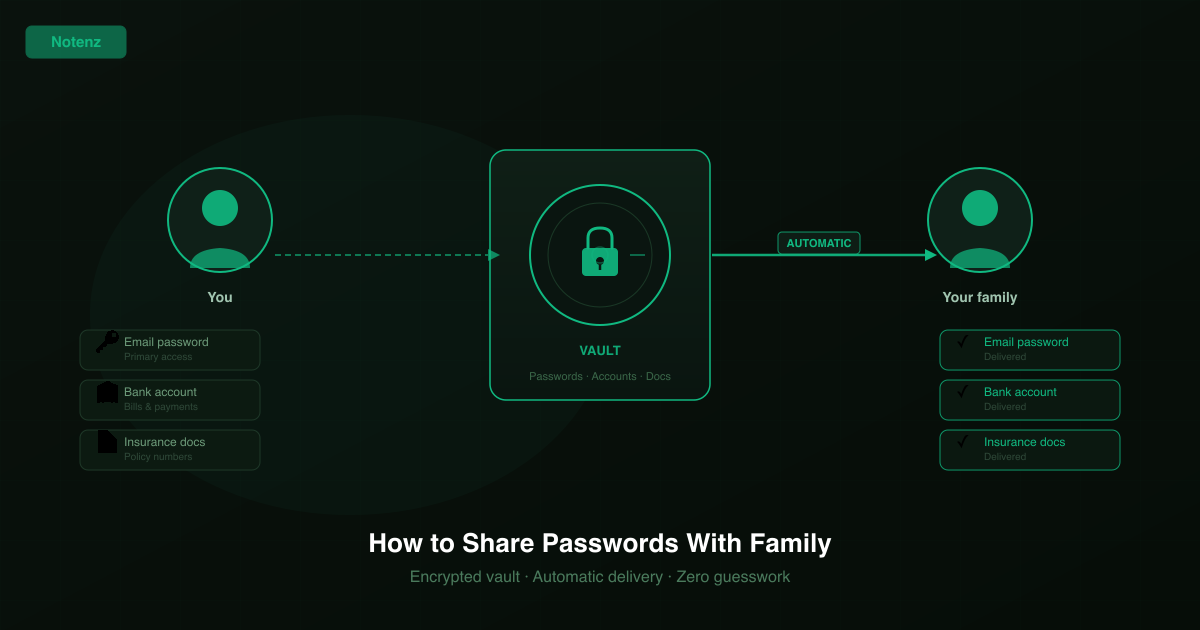
This is what a digital vault service like Notenz is designed for. You store everything in one encrypted place, designate who gets access, and set a check-in schedule. If you stop checking in, the vault is delivered automatically. No one has to remember a master password, and no one has to guess that something is wrong.
The difference from a password manager's emergency access is the trigger. Password managers require the recipient to actively request access and wait for a response. A dead man's switch vault delivers automatically when the check-in stops: no request, no waiting, no uncertainty about whether to act.
What to actually include
Whatever approach you use, the content matters more than the container. Here's a practical list:
- Primary email: login credentials and recovery codes. This unlocks almost everything else.
- Banking and financial accounts: login details, account numbers, names of financial advisors or accountants.
- Insurance policies: policy numbers, provider contacts, what's covered.
- Crypto wallets: seed phrases (never just the wallet address), hardware wallet location and PIN.
- Subscriptions: anything with an automatic payment that needs cancelling.
- Legal documents: where the will is, who the solicitor is, any powers of attorney.
- A plain-language letter: what you want, in your own words. Not legal, just human.
Who gets access to what
Not everyone needs everything. A spouse probably needs the full picture. A sibling might only need to know where the will is and who the solicitor is. A financial advisor needs account numbers but not personal letters.
If you're using a vault service, you can set different recipients for different items. If you're using a simpler approach (a folder on a USB drive, a sealed envelope), you might want to create separate documents for different people.
The important thing is that someone, somewhere, has what they need. Not everything needs to go to one person, but something needs to go to the right people.
The test most people skip
Whatever you set up, test it. Walk through it as if you were the recipient. Can they actually find everything? Do the passwords work? Do they know what to do with a crypto seed phrase, or where to find the insurance contact?
The most common failure mode is a plan that made sense when it was written and is completely useless by the time it's needed. That's because passwords changed, accounts moved, or the instructions assumed knowledge the recipient doesn't have.
If you're using Notenz, the test drill feature sends your recipients a real preview of what they'd receive, so you can check everything before it matters. If you're using a physical document, update it at least once a year and tell someone where it is.
Start small
You don't need a perfect system on day one. Start with the thing that would cause the most immediate problem if you were suddenly unavailable. Probably your email password and the main bank account. Write those down somewhere safe and tell one trusted person where to find it.
Then build from there. Add insurance details. Add crypto. Add a letter. The goal is that the people you care about can handle things without you, not elegantly, maybe, but at least without being completely stuck.
That's worth an hour of your time.
Notenz lets you store everything your family would need (passwords, accounts, letters, documents) in one encrypted vault with automatic delivery if you go quiet.
Set up your vaultRelated Articles
-
Why we retired the free plan
Jul 23, 2026
-
How to Add Notenz to Your Home Screen (iOS and Android)
Jul 2, 2026
-
Digital Legacy Planning: A Practical Guide for Financial Advisors
Jun 28, 2026